


Especially when you need something now.
The businesses exist. The information is scattered, and availability is unclear.
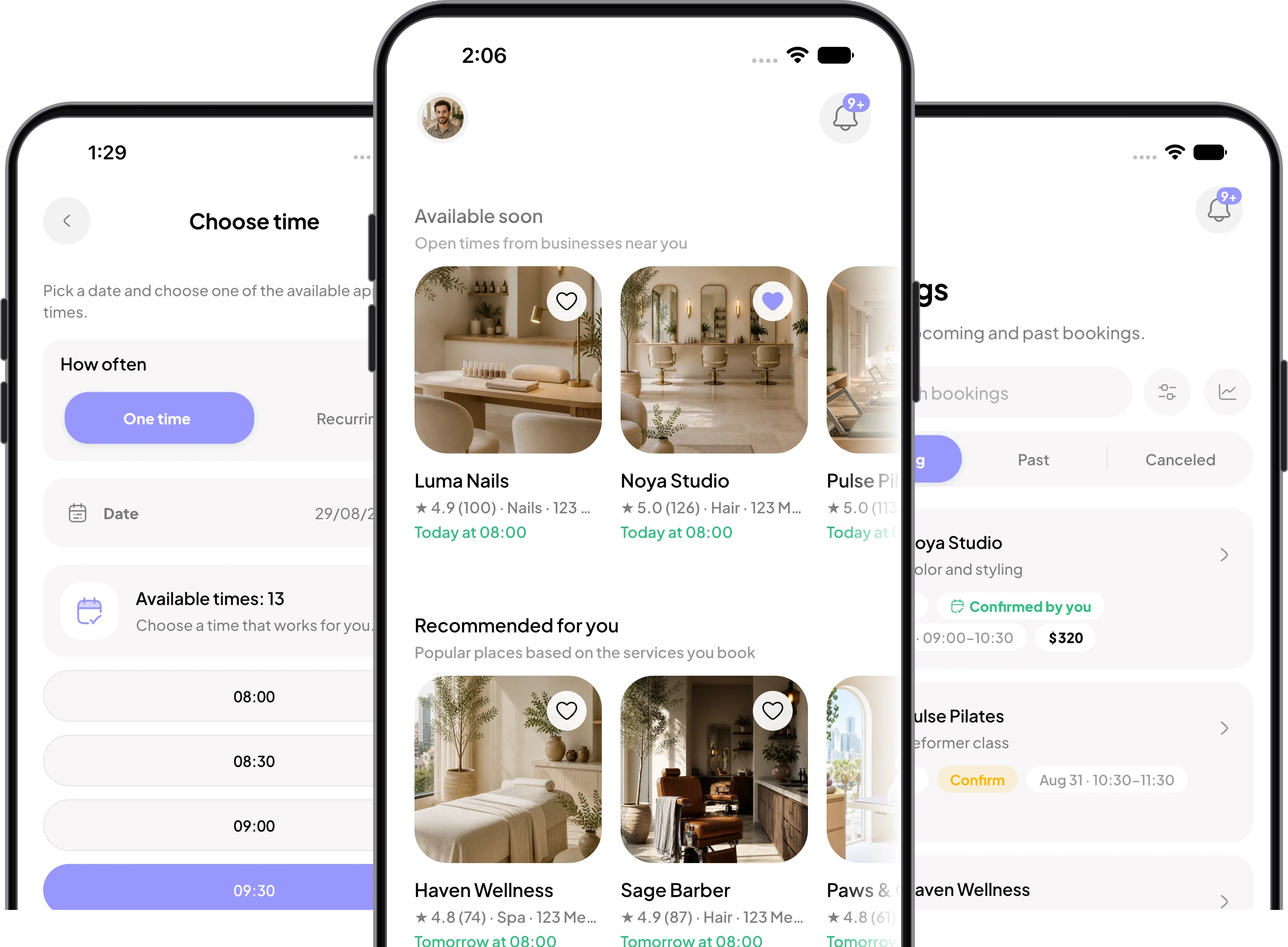
Need something today or planning ahead? See services, businesses, and available times in one app.
You search, ask around, message several businesses, and wait for replies. Even after finding a place, it may be unclear who is available, what it costs, or what you can book.
The businesses exist. The information is scattered, and availability is unclear.

Search by service, business, category, location, date, and availability. See what is open soon or plan ahead.

Photos, reviews, services, prices, professionals, location, and available times stay together.
Book once or make it recurring, join a group class, or request a waitlist place when the business offers one.

Choose a service, professional, and time, review the details, and send the booking.

Status, booking details, updates, and next actions stay together.

See the business, service, professional, time, price, and current status.

Reschedule, cancel, complete a form, confirm attendance, or pay when the booking requires it.

Save businesses to Favorites, book again, and return to packages or memberships a business offers.
Tor lists businesses across hair, nails, beauty, spa, fitness, health, tattoo, and pet services. What appears depends on the businesses available in your area.
Open Explore or Search. Search by business, service, category, or location, then narrow the results by date, open status, distance, soonest availability, online payment, or rating.
A business profile can show its gallery, rating, reviews, address, contact options, services, prices, team, opening hours, and the next available time. Sections appear only when the business has supplied that information.
After choosing a service, Tor shows the professionals who can provide it. You can choose a person or Any available when the business supports automatic assignment.
Choose the service, professional, date, and time, then review the full booking. Tor confirms the appointment only after the business rules, availability, payment choice, and cancellation policy checks succeed.
Some businesses confirm appointments immediately. Others review appointment requests, recurring bookings, or waitlist requests. Tor shows the current status in Requests and Bookings.
Open the appointment in Bookings. Available actions depend on the business policy and appointment status. A cancellation fee may apply when the free-cancellation window has passed.
A business can offer cash, card at the business, card in the app, Apple Pay, Google Pay, a deposit, or eligible package credit. Tor shows only the methods available for that appointment.
When an open day has no available time, the business may offer a waitlist. You can request a place, view your position when available, and leave the waitlist from Requests.
Tap the heart on a business card or profile. Favorites sync to your signed-in account and give you a quick way back to businesses you want to book again.
Bookings keep the current status, business, service, professional, time, price, payment details, and required actions together. Tor also sends appointment updates through the notification channels enabled for your account.
A completed appointment can offer Book again and Write review. Book again reopens the business with the previous service and professional when they are still available.
Yes. Tor supports English and Hebrew, including right-to-left layouts in Hebrew. You can change the language from the app settings.
Download the app, find the option that fits, and book.
We use cookies to enhance your user experience, provide personalised content and analyse traffic. Cookie Policy